EHS and security projects · Idea to 90-day check
From “we should”to “we did.”
PraxysEHS Project Manager walks anyone through the bigger fixes, the guard to build, the drain to cover, the lights to upgrade, the yard to fence in: make the case, get a yes, plan it, do it, hand it over, and check 90 days later that it still works.
Safety, environmental, sustainability and security projects, on one plan.
Standard project management, in plain words.
14 days free for one site. No card needed. No charge per person.
For sites in the US and Canada (outside Québec)
Riverbend Foods · Line 3
Guard the case sealer
“We should.”“We did.”
- 1Propose
- 2Go-ahead
- 3Plan
- 4Work
- 5Close
- 690-day check
Propose
The guard comes off to clear jams. The fix: an interlocked guard.
Go-ahead
The sponsor says yes, and the money is set aside.
Go-ahead given · $4,800
Dana Ruiz, Plant manager · October 6
Plan
Who does what, in what order.
- Get two quotesMaintenance
- Order the guard · $4,180waits on the quotes
- Fit it in the Saturday shutdownwaits on the guard
If the guard is late: keep locking out the jam point.
Work
Done out loud, with a short update each week.
Tasks done
9 of 9
Spent of $4,800
$4,180
Close
Handed over to the people who keep it working.
Maintenance checks the guard each month
Accepted by Dana Ruiz, the sponsor
90 days later
Back at the guard. Did it stick?
Still in place?Yes
Still working?Yes
It stuck. Nothing to reopen.
How it usually goes
You already have a project process.It's an inbox and a lot of hope.
The idea
“We should really fix that.”
Said at three safety meetings. Written into one set of minutes. Nobody's sure whose it is now.
The approval
RE: RE: FW: guard quote (2)
Forty replies later, someone asks if it was approved. Two people say yes. They mean different budgets.
The follow-up
Done. Probably.
The guard went in last spring. It was on the action list as closed. Nobody has been back to look.
How it works
Five steps. Three signatures.One check that it stuck.
- 01
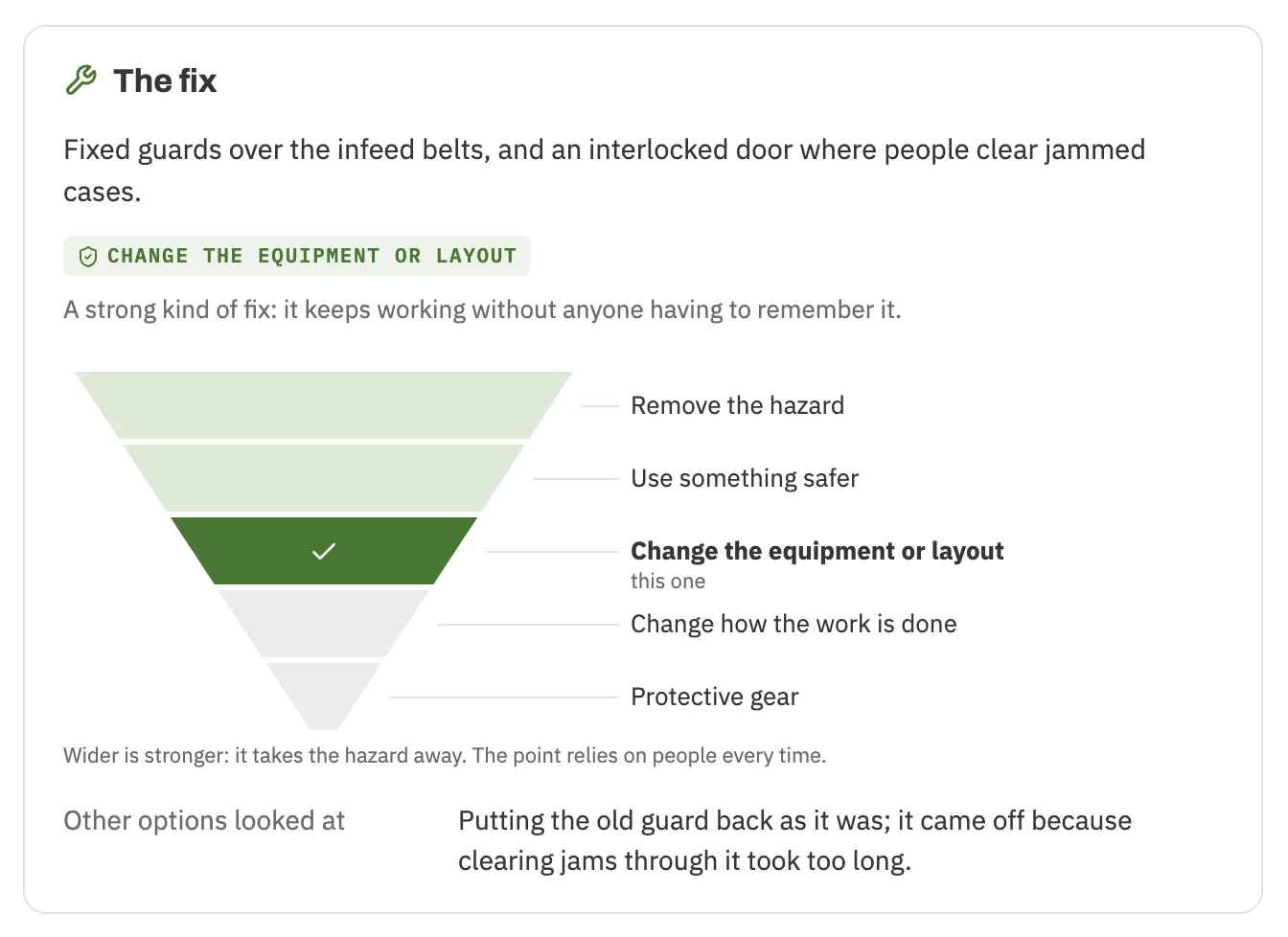
Make the case in plain words
What's happening, who's exposed, the fix and roughly what it costs. Every fix is placed on the triangle, from removing the hazard at the wide top down to protective gear at the point, so a new guard and a reminder sign never pass for the same thing. Twenty starting points cover the common ones, from machine guarding to covering storm drains, a lighting upgrade and stockroom loss prevention.
- 02
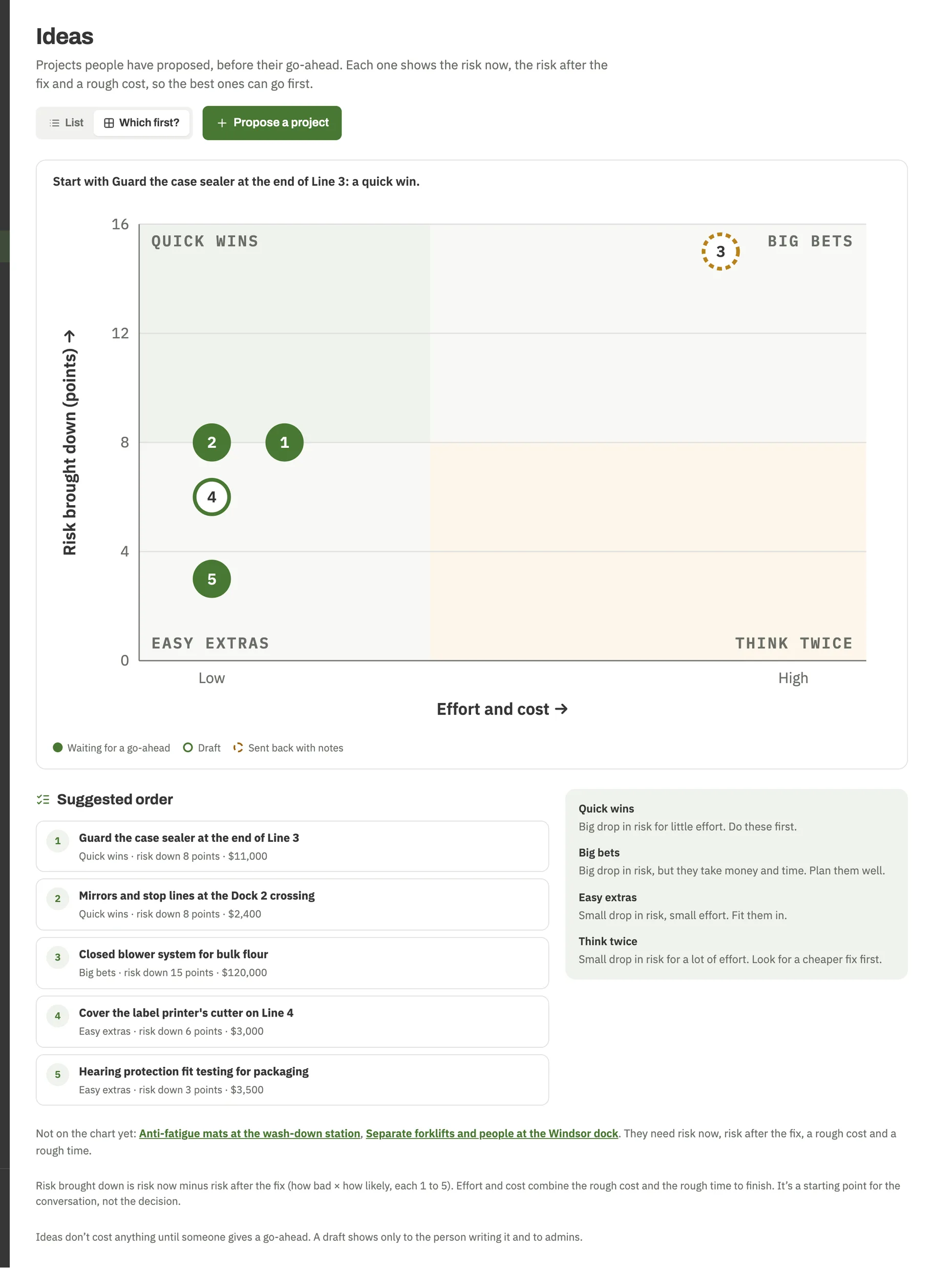
See which ideas to do first
Every idea on one chart: how much risk it takes down against how much it takes to do. Quick wins stand out, and so do the ones to think twice about. It starts the conversation; it doesn't make the decision.
- 03
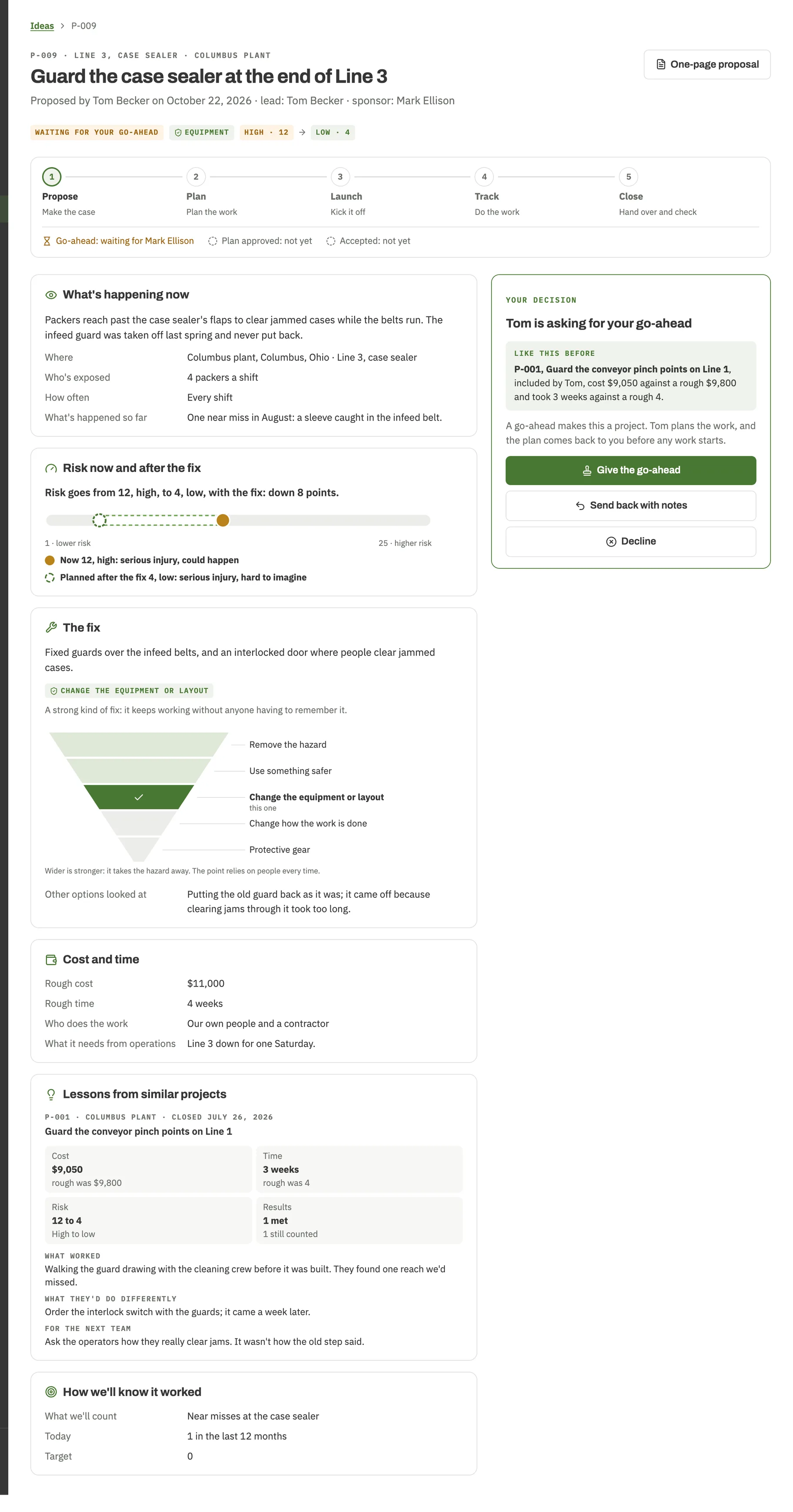
Someone else signs
The sponsor, usually whoever holds the budget, gives the go-ahead, sends it back with notes, or says no with a reason. The person proposing a fix never approves their own. Similar projects from before sit right beside the decision.
- 04
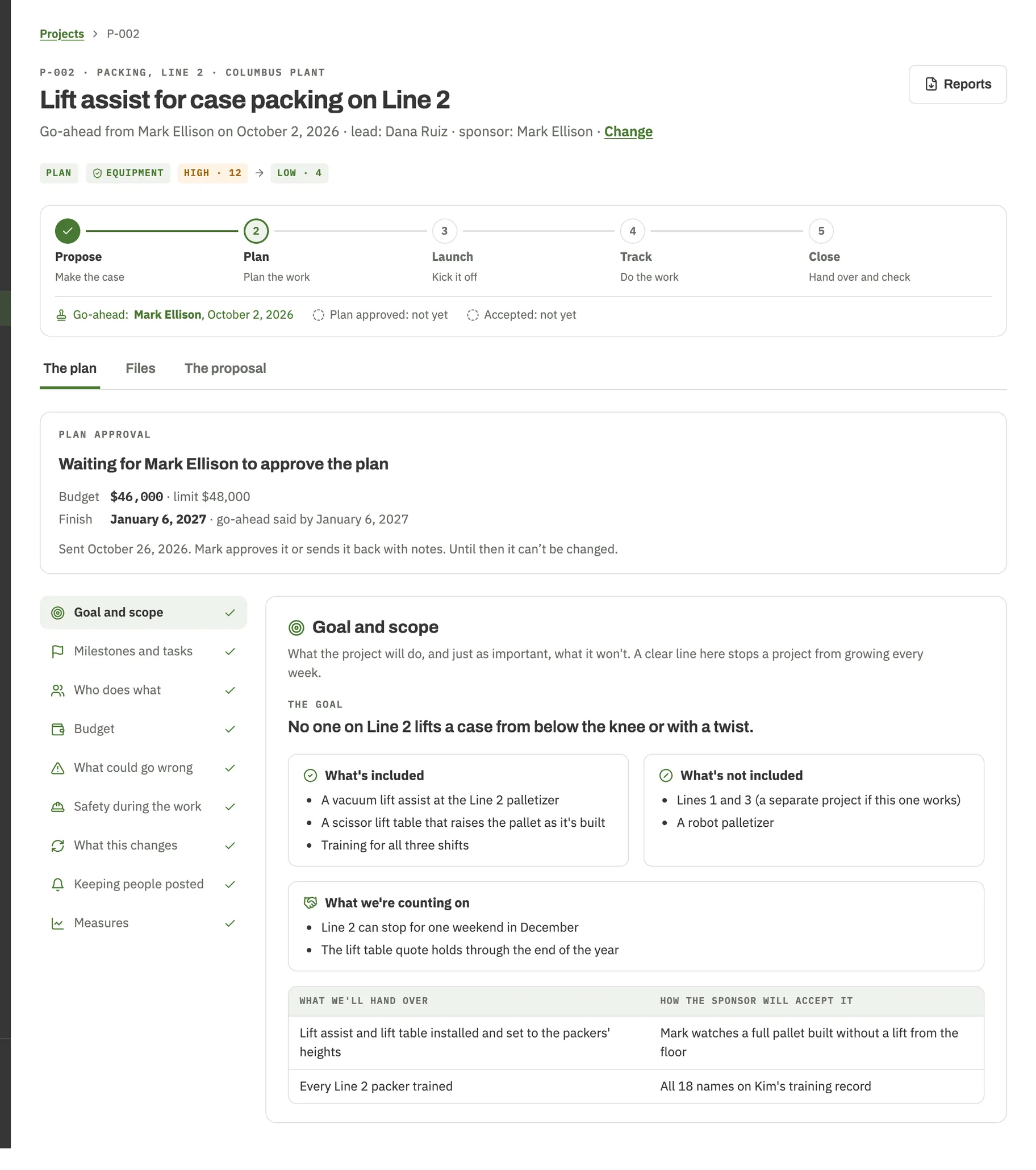
Plan it before anyone picks up a wrench
What's in and what's out, milestones and tasks, who does what, the budget, what could go wrong, and how people stay safe while the work happens. Each risk gets a response, tasks can wait on each other, and quotes and purchases are tracked against the budget. The sponsor approves the plan, and that version is kept.
- 05
Do the work, out loud
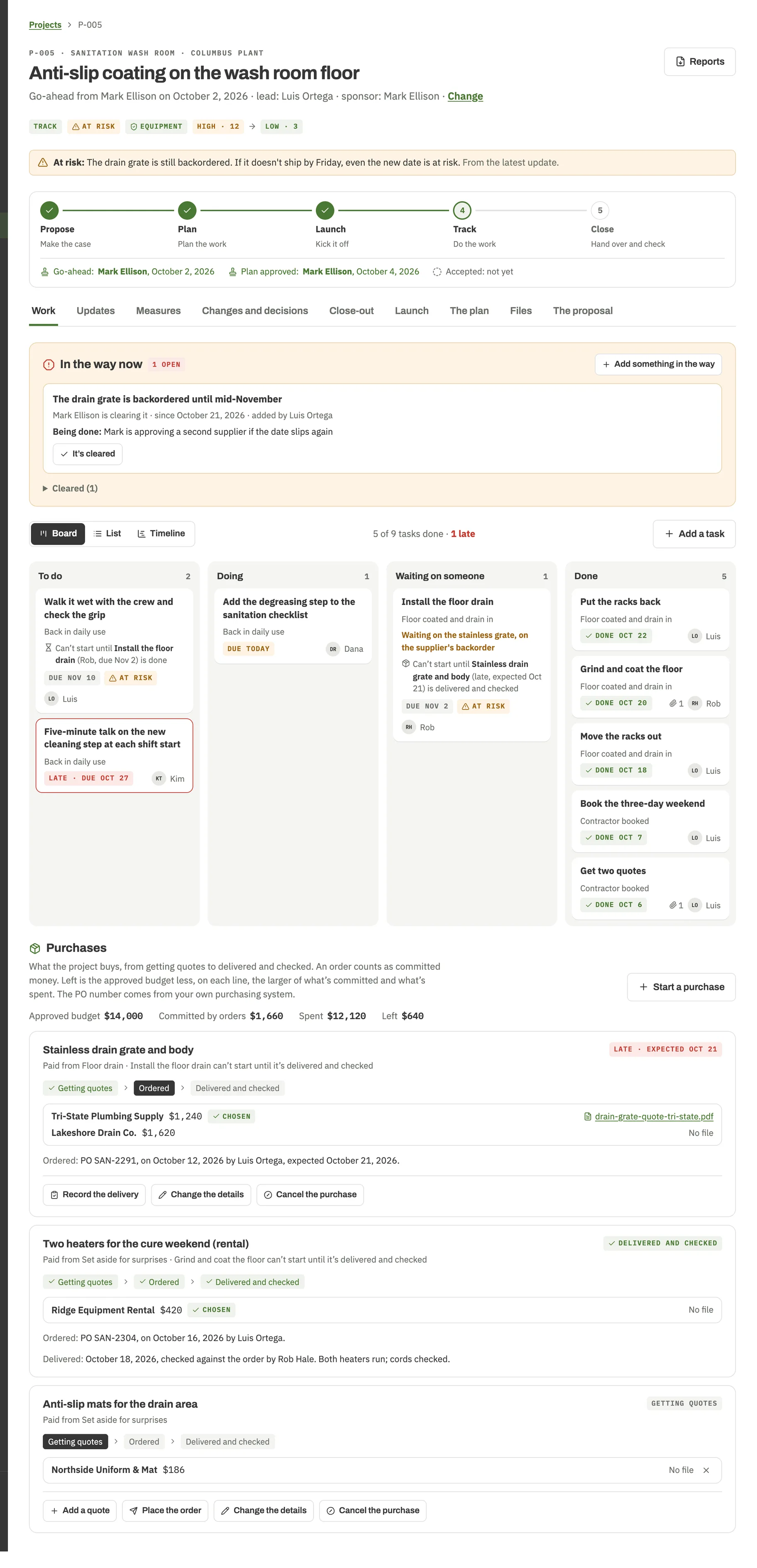
Tasks on a board, a list or a timeline, with sprints for teams that like them. A short update each week, what's in the way and who's clearing it, and who's stretched too thin. Money and dates as they really are, with a plain answer to ahead or behind, over or under. Dates and budgets change only when the sponsor approves the change.
- 06
Close it, then check it stuck
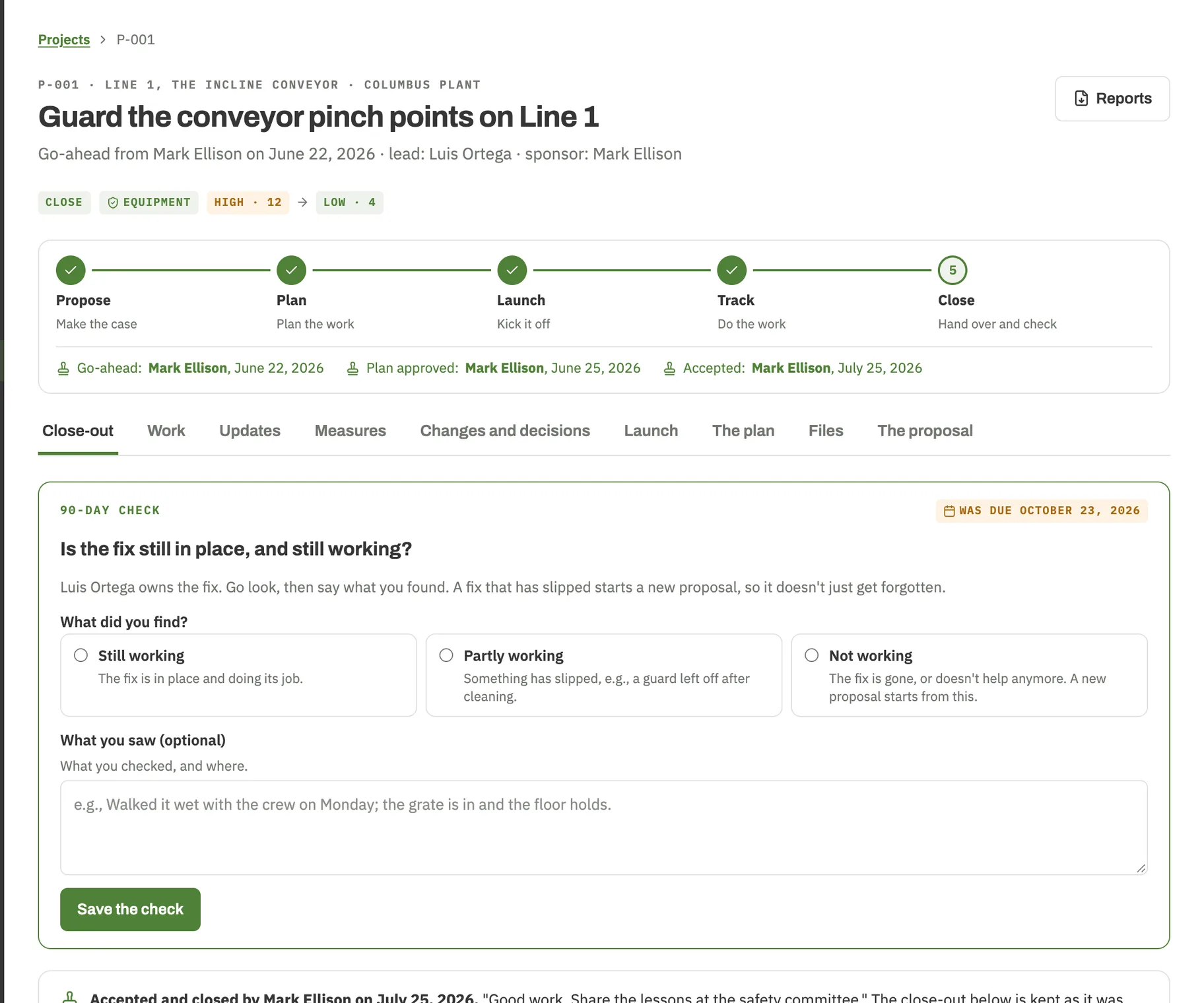
Hand the fix to the people who'll keep it working, with the sponsor signing off. Ninety days later the tool asks one question: is it still in place, and still working? If it isn't, a new proposal starts with the details already filled in.
On the floor
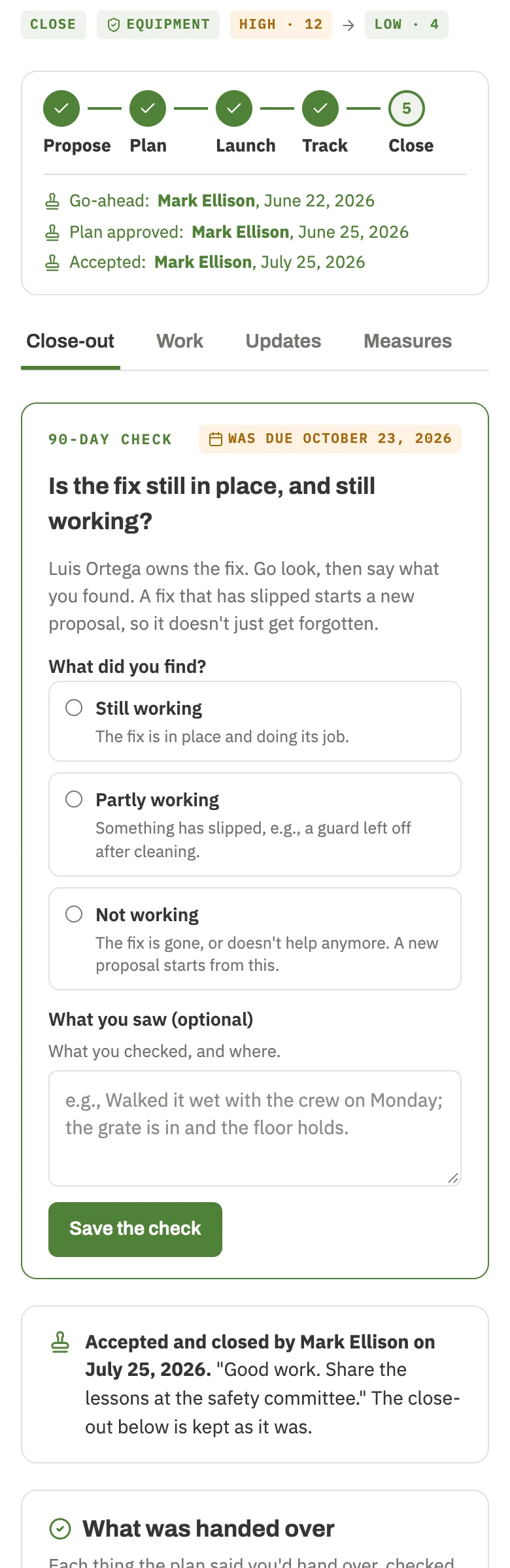
Check it standing in front of the fix.
Every screen works on a phone. Post the weekly update, add photos from the floor, or do the 90-day check right where the guard went in, not from memory back at your desk.
For the meeting
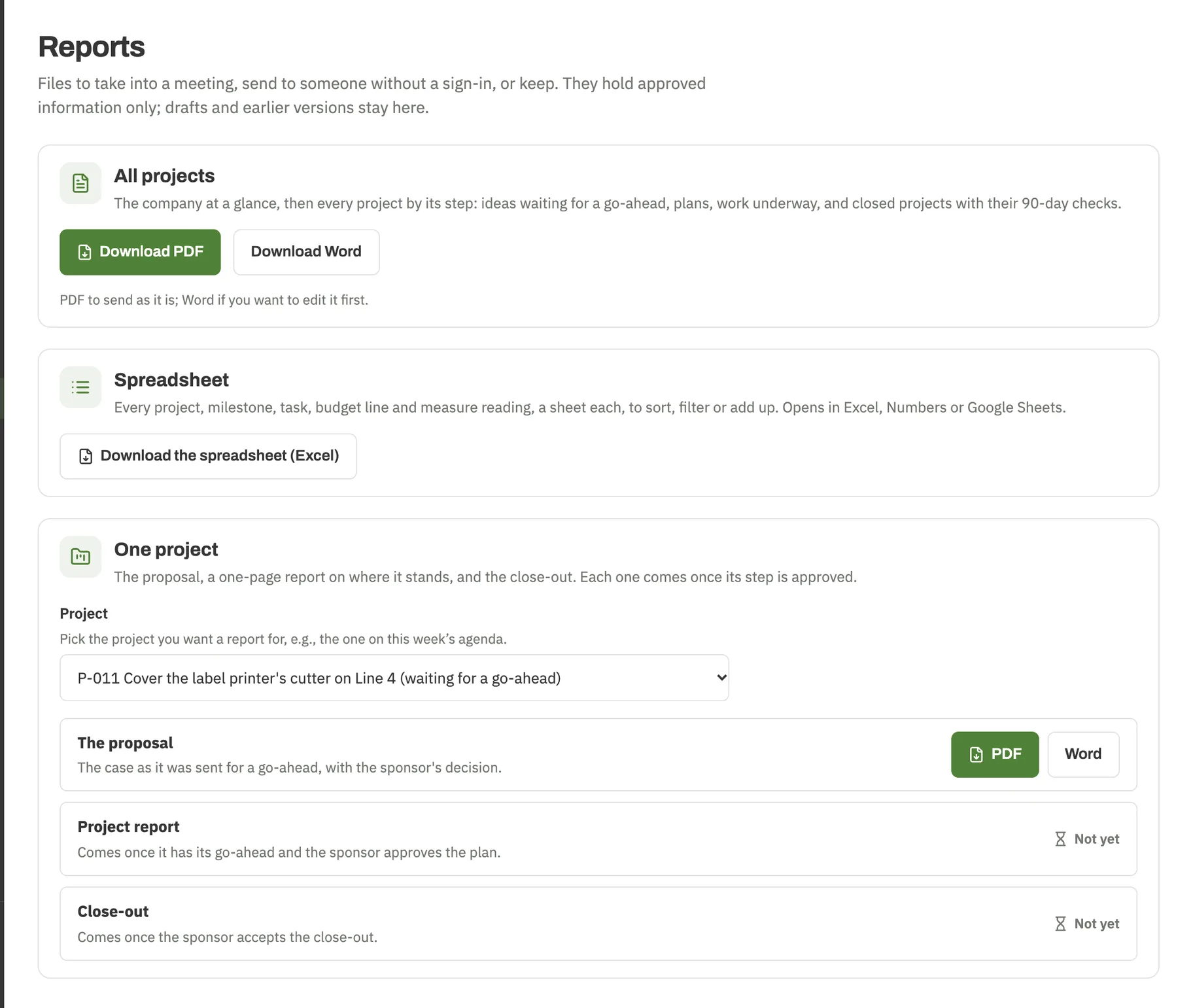
Bring a page, not a 14-tab workbook.
The proposal for the budget meeting, a one-page report on where a project stands, the close-out, and a summary of every project, in PDF to send as it is or Word to edit. A spreadsheet of everything for anyone who'd rather sort it themselves.
Downloads carry approved information only: no drafts, no edit history. That stays in the tool.
A tool for whoever keeps saying “we should really fix that”
No project management training, and no setup project. A safety manager with a handful of fixes a year and a corporate team with forty sites follow the same steps and see the same records. Never run a project before? Every screen says what it's for, in plain words.
- Safety manager at one site
- EHS director across many sites
- Plant manager who approves the money
- Maintenance supervisor who does the work
- Safety committee with ideas to spare
- Owner with no safety staff
- Facilities manager with a list of upgrades
- Environmental or sustainability lead
Who it's not for:
- Teams who need payroll timesheets and a project office. We left those out on purpose.
- Anyone who enjoys a 40-reply email thread about who approved what. We'll miss you.
- Sites whose whole list of fixes fits on one sticky note, and it's working. Keep the sticky note.
Who it IS for: everybody else.
Who builds it
Decades on the job, not a weekend reading about it.
The people behind PraxysEHS are seasoned safety professionals, each with multiple decades in the field: in plants, on job sites, and in more committee meetings than anyone should have to sit through.
We build alongside our partner, Blaine J. Hoffmann, MS OSHM: three decades in EHS, author of Rethinking SAFETY Culture and Rethinking SAFETY Communications, and producer and host of The SafetyPro Podcast. Every tool is put through its paces by people who've done the job the hard way first.
Add-on · Committee Room
The committee meets. Then something actually changes.
Each site's safety committee in the same place as its projects: the charter, a year of meetings, agendas that fill themselves in, minutes and who came, and an action list where the bigger items become projects. $300 a year for your whole company, free during the trial.
How the Committee Room works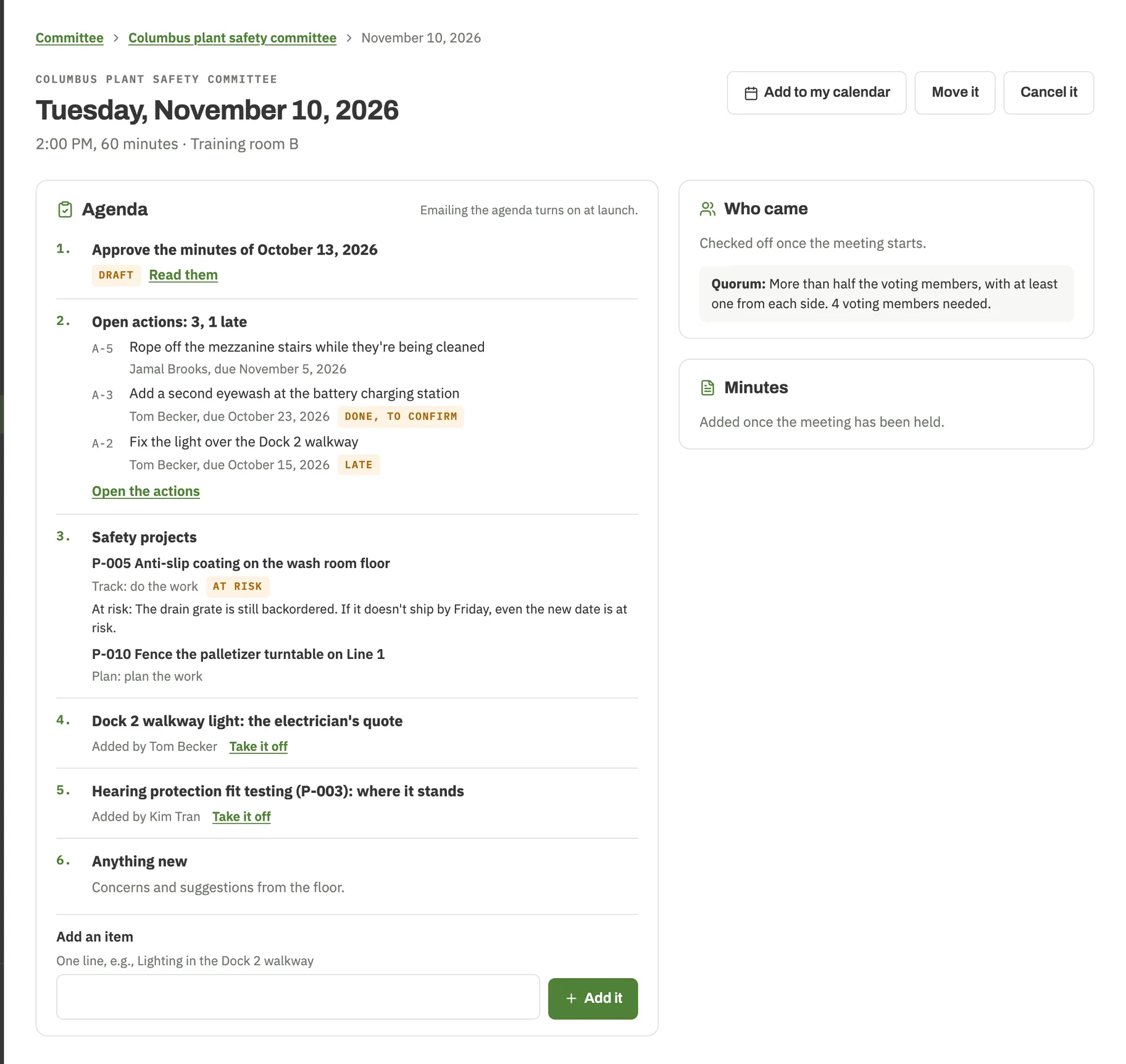
Questions people ask
No. Every screen says what it's for, in plain words. Underneath, it follows standard project management practice, and the formal name for each part is a tap away for anyone who wants it.
$59 to $79 per site a month, depending on how many sites you have, with unlimited people and projects of every kind. 25 sites or more, we'll quote.
No. Safety, environmental, sustainability and security projects all run the same way, on the same plan, at no extra cost. Each kind is rated on its own scale, so ideas are only ever ranked against their own kind. Nobody has to argue whether a fence beats a guard.
As many as you need, at no extra cost. Invite everyone who proposes, approves or does the work.
It isn't a compliance tool. It keeps projects moving and shows what was done. It doesn't decide what the law asks of you.
Yes, anytime: the proposal, a one-page project report, the close-out and a summary of every project in PDF and Word, a spreadsheet of everything, and your original files. Downloads keep working even if your plan ends.
Yes. Each company's work is kept apart from every other, files open only through links that expire within minutes, and you decide who's in and what each person can do.
Yes, outside Québec. Québec comes once PraxysEHS Project Manager is in French. Prices are in US dollars.
Yes. Same people, same plain words. PraxysEHS Project Manager is its own app with its own account, so you can use it without the others.
Start with the fix you keep talking about.
14 days free for one site. No card needed. No charge per person.
PraxysEHS Project Manager keeps your projects and committee records. It doesn't decide what the law requires where you work, and using it isn't legal advice.